Compatibility
Minecraft: Java Edition
Platforms
Supported environments


Links
Tags
Creators
Details
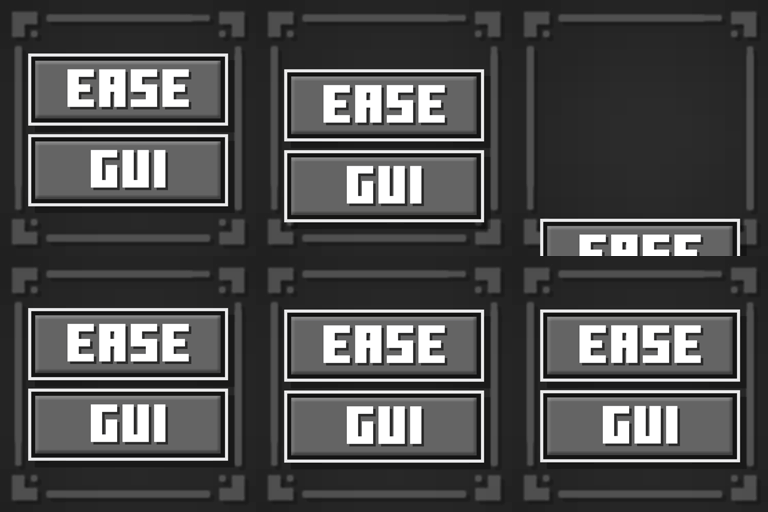
EaseGUI is a client-side mod that adds smooth, dynamic entry animations to Minecraft screens and interfaces!
Animated Elements

Background Blur • Minecraft Logo • Buttons • Text Labels • Scrollable Lists • Containers
Fabric Requirements

Customization
The mod offers customization options for every element category. You can configure animations globally for all screens or fine-tune them individually for specific menus to suit your taste.
Configuration parameters explained
- Animation [ON/OFF] — Toggles animations for the selected element category.
- Duration — Controls how long the animation lasts (in milliseconds).
- Offset [X/Y] — Sets the starting position of the element relative to its final layout position.
- Initial Scale [X/Y] — Controls the scale of the element at the beginning of the animation.
- Initial Alpha — Adjusts the starting opacity (transparency) of the element.
- Cascade Delay — The time delay between animating consecutive elements of the same type (creates a beautiful staggered entry effect).
- Cascade Order — The direction of the staggered sequence.
- Pivot Point — The anchor point used for scaling transformations (e.g., scaling from the center, top-left, etc.).
- Easing (Interpolation) — The mathematical curve that defines the acceleration profile and overall feel of the animation.

By default, a clean and simplified global animation preset is applied. However, you can craft unique transitions for each screen or disable them entirely where they aren't needed.
Beta Status & Feedback
EaseGUI is currently in Beta. While the core features are stable on both Fabric and NeoForge, I am actively fine-tuning compatibility with third-party mods that modify the game's UI.
If you run into compatibility issues with other mods, please let me know.
Compatibility & Known Issues
🟩 Resource Packs: Full Compatibility
The mod is fully compatible with any custom resource packs.
Tip: If your resource pack includes a custom Main Menu logo and you prefer to use it instead of the animated EaseGUI version, simply change the "Logo Type" setting to "Whole Text" in the mod configuration.
🟨 Highly Intrusive UI Mods
The main compatibility risks come from mods that heavily overhaul vanilla interfaces, completely rewrite their base rendering logic, or hard-code rigid element positions.
If you encounter rendering issues with a specific screen, you can easily tweak or completely disable the animation for that individual screen in the config menu while keeping smooth transitions across the rest of the game.